
Affordable website design for small businesses can feel difficult when tools, plans, and design choices compete for attention. A poorly planned website can confuse visitors and weaken trust. A clear, focused approach makes building an effective online presence simpler.
Affordable website design for small businesses means creating a professional, mobile-friendly, easy-to-manage website around real business goals—not adding every possible feature. The best option depends on whether the business needs leads, bookings, local visibility, content publishing, or commerce. Start with a clear structure, strong messaging, fast pages, and tools that can grow with the business.
What Does Affordable Website Design for Small Businesses Include?
Affordable website design for small businesses includes the essential pages, functionality, content, and technical foundations needed to help customers understand and contact a business online.
Affordable does not mean incomplete or generic. It means making intentional choices about what the website needs now, while leaving room for future improvement.
A practical small business website commonly includes:
- A clear home page explaining the service or offer
- Service, product, or solution pages
- About, contact, and location information
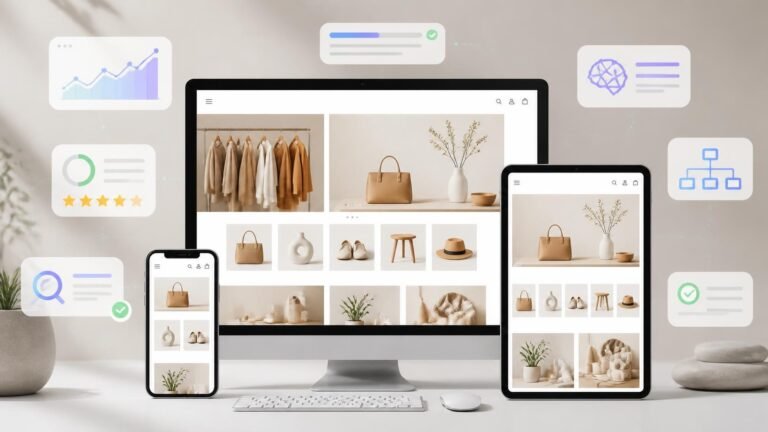
- Mobile-responsive design
- Clear calls to action, such as booking, calling, requesting a quote, or sending an enquiry
- Basic SEO structure, page titles, headings, and internal links
- Contact forms and relevant business integrations
- Security, performance, and ongoing update options
For service-based brands, the priority is often credibility and lead generation. For commerce businesses, product discovery, payment flow, stock management, and customer support may need more attention.
The goal is not simply to launch a website. The goal is to build a useful digital business asset that supports customer decisions.
Why Do Small Businesses Need a Professional Website?
A professional website gives small businesses a central online space where customers can learn, compare, enquire, and take action with confidence.
Social media profiles remain valuable, but they do not fully replace a business website. A website gives the business more control over its design, messaging, content, customer journey, and search visibility.
Customers often look for practical details before contacting a business. They may want to know:
- What services are available
- Who the business helps
- Where it operates
- How to request support or make a booking
- Whether the brand appears credible and established
- What makes its approach different
A well-organized website answers these questions quickly. It also gives marketing activity a stronger destination. Social posts, local search results, email campaigns, paid advertising, and business listings can all direct users to a focused page built for the next step.
Should You Use a Cheap Website Builder or Custom Design?
A cheap website builder can be suitable for simple websites, while custom design is usually better when a business needs more flexibility, stronger branding, or specialised functionality.
There is no single best free website builder or best cheap website builder for every situation. The right option depends on the website’s purpose, content needs, team skills, and expected growth.
|
Option |
Best suited for |
Strengths |
Watch for |
|
DIY website builder |
New or simple businesses |
Fast setup, templates, basic tools |
Limited customisation and design control |
|
Wix-style builder |
Businesses wanting visual editing |
User-friendly builder, templates, integrations |
Template choices and premium plans need careful review |
|
WordPress website |
Content-led and growing businesses |
Flexible design, SEO tools, scalable features |
Requires reliable setup, maintenance, and management |
|
Custom website design |
Established or specialised brands |
Tailored structure, brand experience, advanced features |
Needs planning and professional development |
|
E-commerce platform |
Businesses selling online |
Product, payment, inventory, and commerce features |
Requires attention to product data and customer journey |
The cheapest website builders can help businesses create a basic presence, but the cheapest option is not always the most suitable long-term choice. Before choosing a platform, compare editing flexibility, mobile design, SEO controls, integrations, content management, security, and the availability of support.
A customizable website builder can be useful when a business needs to update its own pages regularly. However, a professional setup can prevent common issues such as inconsistent page layouts, unclear navigation, poor mobile spacing, or weak conversion paths.
Which Features Matter Most for a Small Business Website?
The most valuable website features are those that make it easier for customers to find information, trust the business, and complete a relevant action.
Many small businesses start by focusing on visual design alone. Design matters, but function and clarity matter just as much. A clean website should guide visitors naturally from interest to action.
Prioritise these features:
- Mobile-first design: Most visitors will view the website on a phone, so buttons, forms, menus, and text must work comfortably on smaller screens.
- Clear navigation: Visitors should reach important pages without searching through complicated menus.
- Fast-loading pages: Optimised images, efficient page layouts, and reliable technical setup support a better experience.
- Contact and conversion tools: Use enquiry forms, call buttons, booking tools, maps, and relevant contact options.
- Search-friendly structure: Create useful page names, page headings, descriptive copy, internal links, and locally relevant information where appropriate.
- Trust signals: Add real credentials, service details, policies, testimonials where available, and clear business information.
- Content management: Choose tools that make it easy to add services, articles, FAQs, case materials, or product information later.
Avoid adding features simply because they are available. Every function should help the business, its team, or its customers.
How Can Businesses Compare Pricing Ranges Without Focusing Only on Cost?
Businesses should compare pricing ranges by considering ownership, essential tools, ongoing support, and future changes—not only the initial website build.
A low starting cost can become less practical if the website later needs redesign work, additional integrations, content support, or platform changes. Premium plans may provide useful features, but only if those features match real business requirements.
When reviewing plans or website services, consider:
- Is hosting included and appropriate for the website?
- Is a domain name included, managed, or separate?
- Are forms, analytics, backups, and security features available?
- Can the team edit pages without affecting the design?
- Does the platform support SEO controls and structured content?
- Can the website support blogs, booking tools, or commerce later?
- Are platform updates, maintenance, and technical support available?
- Is the website portable if the business changes providers?
The best affordable web design services focus on value and fit. They help a business avoid unnecessary complexity while ensuring the foundation is strong enough for future marketing activity.
Quick Facts About Affordable Business Websites
Affordable website design works best when the project begins with priorities rather than a long list of features.
- A simple, focused website can be more effective than a large website with unclear content.
- A business website should work well on mobile devices before launch.
- SEO begins with helpful content, logical page structure, and clear technical setup.
- Website builders can be useful, but templates still need thoughtful branding and content.
- Free plans may be helpful for testing ideas, but business websites often need more control and professional features over time.
- A website should support a customer journey, from first impression to enquiry, booking, or purchase.
- Ongoing updates are important because services, team information, offers, and customer needs change.
- Content, photography, and messaging influence website performance as much as layouts and tools.
For example, a local consultancy may need service pages, a location page, FAQs, and an enquiry form. A small online retailer may need category pages, product descriptions, delivery information, and a simple checkout experience.
What Are Common Misconceptions About Cheap Website Design?
Cheap website design does not automatically mean poor quality, but it can create problems when essential planning, content, and technical work are ignored.
“A template is all a business needs.”
A template is a starting point, not a complete website strategy. It still needs tailored copy, brand visuals, conversion paths, search optimisation, and thoughtful page structure.
“The best free website builder is enough forever.”
A free builder may work for a temporary project or early idea, but growing businesses often need more control over branding, domains, analytics, integrations, and customer experience.
“More pages always improve SEO.”
More pages only help when they offer distinct, useful information. Thin pages created only to target search terms can make a website less helpful and harder to manage.
“A beautiful site will automatically generate enquiries.”
Design can improve trust, but visitors also need clear information, relevant proof, simple navigation, and an obvious next step.
“Building the site is the final step.”
Launching is the beginning of website management. Businesses need to review content, update services, maintain technical performance, and use data to improve key pages.
How Does SEO, GEO, and AEO Improve Website Value?
SEO, GEO, and AEO help a business website become easier to discover, understand, and reference across search engines and AI-assisted search experiences.
SEO improves how well search engines can crawl, understand, and rank useful pages. GEO, or generative engine optimisation, focuses on making content clear and trustworthy enough to be surfaced in AI-generated answers. AEO, or answer engine optimisation, structures content so it can directly answer common customer questions.
Practical website content can support all three areas when it includes:
- Clear definitions and direct answers near the top of important pages
- Specific service descriptions instead of vague marketing language
- Logical headings that reflect real customer questions
- FAQ sections written in natural language
- Accurate business details, including contact and service information
- Structured information that is easy for people and systems to interpret
- Helpful examples that explain processes without exaggerated claims
A page about a professional service, for instance, should state what the service is, who it is for, what the process involves, and how a customer can enquire. This approach supports human readers first while also creating clearer signals for search and answer engines.
How Can Mednetiks Help Build a Stronger Online Presence?
Mednetiks helps businesses combine website development, SEO, branding, content creation, and media production into a website strategy built around clarity and sustainable growth.
Instead of treating design as a separate task, the process can connect brand positioning, website structure, search-focused content, visual identity, and customer actions. This is especially useful for businesses that want their online presence to feel consistent across their website, social channels, marketing campaigns, and professional materials.
Support can include:
- Website planning and user-focused page structure
- Custom design and responsive development
- Brand messaging and visual direction
- SEO-ready website content
- Local and service-based search optimisation
- Content creation for blogs, landing pages, and campaigns
- Media production that strengthens brand presentation
- Website updates and practical ongoing support
Mednetiks can also help businesses decide whether a simple builder-based website, WordPress solution, or custom development route is the most appropriate for their current needs.
What Should You Do Before Starting Your Website Project?
Before building a website, define the primary customer action and prepare the information customers need to make a decision.
A short planning stage saves time during design and development. It also helps prevent pages from becoming overly broad, repetitive, or disconnected from business goals.
Prepare these essentials:
- Define the main purpose: enquiries, bookings, calls, store visits, online sales, or content visibility.
- List the main services, products, or business categories.
- Identify the audience, location, and customer questions.
- Gather brand assets, such as logos, colours, photography, and existing materials.
- Review competitor positioning only for market understanding, then focus the website on your own value and voice.
- Decide which tools are necessary, such as booking, payments, forms, CRM, newsletters, or live chat.
- Create a content plan for service pages, FAQs, articles, and future updates.
- Set a practical launch checklist for mobile testing, forms, page speed, analytics, and contact details.
A calm, structured process produces a website that is easier to manage and more useful to customers. If you are ready to review your options, contact Mednetiks at enquires@mednetiks.com or +442081445052 to discuss a practical website direction for your business.
Frequently Asked Questions
Is affordable website design suitable for small businesses?
Yes. Affordable website design can be highly suitable when it prioritises the pages, content, and features that directly support business goals and customer needs.
What is the difference between a website builder and custom web design?
A website builder uses ready-made tools and templates, while custom web design creates a more tailored layout, structure, and functionality for the business.
Can a cheap website builder support SEO?
Yes, many builders provide basic SEO tools, but effective SEO still depends on helpful content, site structure, mobile usability, technical setup, and ongoing improvement.
Is Wix suitable for a small business website?
Wix can suit businesses that want a visual editor and straightforward website management, provided its available features and plans align with long-term needs.
What pages should a small business website have?
Most small business websites need a home page, service or product pages, about page, contact page, and relevant trust-building pages such as FAQs, testimonials, or policies.
How long does it take to build a business website?
The timeline depends on the number of pages, content readiness, design complexity, integrations, feedback process, and whether photography or media production is required.
Should service-based brands add a blog?
A blog can be useful when it answers real customer questions, supports SEO, demonstrates expertise, and gives the business helpful content to share through other marketing channels.
What should I ask before choosing a web design service?
Ask about website ownership, page scope, mobile design, SEO setup, content support, future editing, maintenance, security, integrations, and how the website will support your goals.